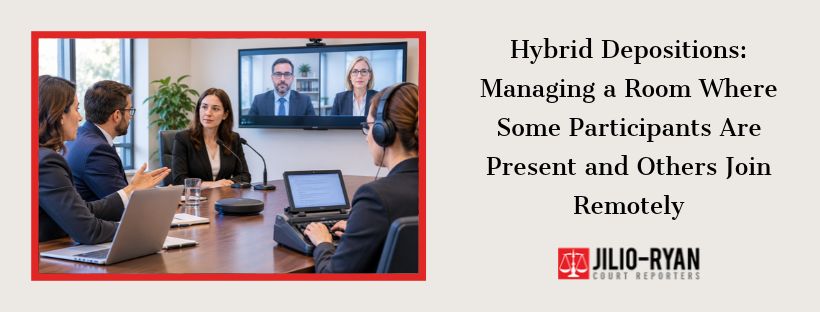
Two attorneys sit at the conference table with the witness. A third joins from another city on a laptop, and an expert watches through a video link from her office. Everyone is part of the same deposition, but they do not share the same room, the same audio, or the same view of the documents. A hybrid deposition can run smoothly when the setup treats remote participants as equal attendees rather than an afterthought.
What Makes a Deposition Hybrid
A hybrid deposition mixes in-person and remote attendance in a single session. California law allows this flexibility. Under Code of Civil Procedure section 2025.310, parties and attorneys may attend in person but are not required to, and the deposition officer may also attend remotely.
That means the format varies from case to case. The witness may sit in a conference room with the reporter while counsel dial in, or the reporter may be elsewhere. Settle who sits where before the date.
Teams choose hybrid for practical reasons: a witness who cannot travel, co-counsel in another office, an expert with a tight schedule, or a client who wants to observe without the expense of a trip. The format keeps everyone involved without moving everyone.
Deciding Where the Reporter and Witness Sit
The reporter works best close to the witness, where speech is clearest. Many teams place the reporter in the room with the witness and bring remote attendees in by video and audio link.
Whatever the arrangement, tell the firm in advance. The reporter needs to know who is on the line, who is in the room, and which participants will be speaking.
Settle the oath early as well. If the reporter is not with the witness, the parties should agree on how the oath will be administered and how the witness’s identity will be verified.
Who Does What
Assign roles before the day. One person should act as technical host, admitting remote attendees and managing the link. The examining attorney controls exhibits, and the defending attorney watches for objections from every location.
The reporter focuses on the record and should not be asked to manage the platform. If a videographer is present, that person handles camera placement and recording.
Audio Is the Foundation
Video gets the attention, but audio decides whether the record is accurate. A reporter cannot transcribe what they cannot hear. In a hybrid room, one weak microphone can leave remote speakers unheard or room speakers muffled.
Use this checklist for room setup:
- Place a conference microphone or speakerphone in the center of the table.
- Seat the witness and examine the attorney within the clear range of it.
- Keep remote participants muted unless they are speaking.
- Ask everyone to state their name before speaking the first time.
- Keep a backup dial-in line ready in case the video platform drops.
- Test the audio with a remote participant before the witness arrives.
Giving Remote Participants the Same View
Remote participants need to see what the room sees. A projector or screen showing the exhibit helps the people at the table, but remote attendees need the same document on their own screens.
Designate one source of truth. Either the examiner shares the screen with everyone, or documents are loaded in a shared folder. Do not let some people work from a paper copy while others see a different version.
A camera on the witness lets remote counsel observe demeanor. If a videographer is recording, ask about camera positions so the video captures the witness clearly. The video services page covers live streaming for attendees who cannot be present.
Handling Objections, Side Talk, and Breaks
Delays between audio and video make interruptions awkward. Remote counsel should state “objection” clearly and then wait a beat so the witness does not answer over them. The examiner should allow that pause before moving on.
Side conversations are a hidden risk. A remote attorney who forgets to mute may broadcast a private comment to the whole room, and a message typed in a chat window may not be part of the record. Treat every open channel as live.
For breaks, announce that the group is going off the record, mute everyone, and confirm the return time. When testimony resumes, the reporter should confirm that all participants are back.
Choosing a Space Built for Mixed Attendance
A purpose-built room reduces setup problems. Deposition suites and conference rooms with a projector, screen, and conference-call capability give the in-person group a stable base for the remote link.
The Tustin facility is one example of a space designed for depositions. Whatever location you choose, ask what equipment is installed, and test it with a remote participant before testimony begins.
A Sample Run of Show
A plan on paper keeps a mixed-attendance session on track. A typical sequence looks like this:
1. Everyone arrives or connects 15 to 30 minutes early for a technical check.
2. On the record, the reporter notes who is in the room and who is attending remotely.
3. Counsel state any stipulations about format, exhibits, and objections.
4. The oath is administered under the arrangement the parties agreed on.
5. Testimony begins, with scheduled breaks.
6. The deposition closes with a statement of the end time and transcript arrangements.
Common Hybrid Problems and Quick Fixes
Echo is the most common problem. It usually means a remote participant’s speakers are feeding back into the room microphone, so ask remote speakers to use headsets or stay muted until they speak.
When a remote attorney cannot be heard, move the microphone closer and ask the attorney to repeat the statement for the record.
If a remote participant cannot see an exhibit, re-share the screen and restate the exhibit number. When someone joins late, have the reporter note the arrival time on the record.
Confidentiality and Local Rules
If participants join from different locations, confirm that the video link is secure and that only authorized attendees have access. Protective orders may restrict who can view or record testimony, so check any order in the case.
Decide who is recording, too. If a videographer is making the official video, remote participants should not record on their own devices, and the stipulation should say so on the record.
Court orders and the California Rules of Court can set specific procedures for remote participation, as section 2025.310 notes. Check the rules that apply to your case, and ask your attorney if something is unclear.
Bring Everyone Into the Same Room, Wherever They Sit
A hybrid deposition goes best when the room, the audio, and the link are planned together. Jilio-Ryan hosts depositions at its Tustin, California office, with a conference room for 8 to 24 people at no charge when a deposition is booked there, and live video streaming for remote attendees.
Tell our team who will be where through the Contact Us page, and we can help shape the setup.
FAQs
- Can some attorneys attend remotely while the witness is in person?
Yes. Under section 2025.310, attendance at the witness’s location is optional for parties and attorneys. Check any court order in your case for added requirements.
- Where should the reporter sit?
Close to the witness works best, but other arrangements are possible. Tell the firm in advance so the equipment and audio are planned correctly.
- How are exhibits handled when some people are remote?
Pick one source of truth, either a screen share or a shared folder, and identify every exhibit aloud so the written record stands on its own.
- What if the remote audio fails?
Pause and go off the record. Switch to the backup dial-in line, then confirm the last question before testimony resumes.