
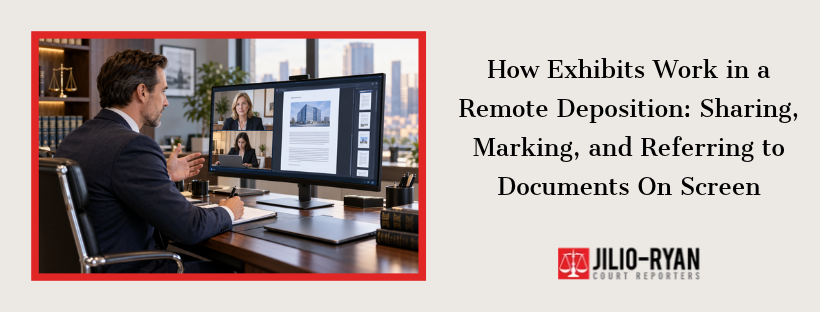
Exhibit 12 is a seven-page email chain. The examining attorney shares her screen, the witness scrolls to page four, and the reporter has to capture which page, which line, and which exhibit all at once. In a conference room, someone slides a paper copy across the table. On video, each of those steps needs a plan. Exhibits are where remote depositions most often stall, and where gaps in the record appear when handling gets loose.
What an Exhibit Is and Why the Record Depends on It
An exhibit is any document, photo, or recording shown to a witness and made part of the deposition record, usually identified by a number or letter. The transcript refers to exhibits by those labels, so a clear label lets a judge later match testimony to the right page. In a remote setting, nobody can point at a paper copy, so spoken description carries more weight. Each exhibit should be identified aloud, with enough detail that the written transcript makes sense on its own.
Choosing How Exhibits Reach the Witness
Teams generally use one of three approaches, and many combine them. The right choice depends on the number of documents, the case, and the witness’s comfort with technology.
| Method | How it works | Watch for |
| Screen sharing | The examiner displays the document live | The witness cannot scroll alone, text may be small, other pages stay out of view |
| Shared exhibit folder | Documents are uploaded to a platform the witness opens | The witness may see documents not yet introduced, so control access |
| Pre-sent copies | Paper or digital copies arrive beforehand, sometimes sealed | Confirm the witness opens only the exhibit under discussion |
Whichever method the parties choose, state it on the record at the start. A brief agreement about how exhibits will be shown prevents arguments later about what the witness did or did not see.
Pre-Marking and Numbering Conventions
Pre-marking means assigning exhibit numbers before the deposition begins. It saves time because the examiner can say “Exhibit 8” without pausing to label each document. Agree in advance whether numbers continue across a case’s depositions or restart for each witness. Bates numbers, the sequential page stamps used to track produced documents, add precision. They let everyone cite a page exactly, even if a file is re-sent or reformatted during the day.
Preparing Your Witness for On-Screen Documents
Witnesses who are comfortable with the setup answer more clearly. A short practice call a day or two before the deposition lets the witness test the platform, the camera, and the screen-share view. Schedule it earlier if the witness has never used the software. Remind the witness to close unrelated windows and silence notifications, since a pop-up can expose private information on a shared screen. A second screen, or a printed set of documents if the parties allow it, makes it easier to follow along without losing the question.
Showing and Identifying Exhibits During Testimony
A steady routine keeps the record clean. For each document, the examiner states the exhibit number, describes the document, and confirms the witness can see it. Then the questioning begins.
- Announce the exhibit number and a short description for the record.
- Confirm the witness sees the entire page and can reach other pages if needed.
- Direct the witness to pages and paragraphs by number, not by “this part here.”
- Pause when the screen share changes or freezes, then restate the exhibit.
- State clearly when the examiner is finished with a document and moving on.
Avoid pointing language such as “this paragraph” or “right here.” A reader of the transcript cannot see the screen. Say “the second paragraph on page three” so the written record stands on its own.
What the Court Reporter Needs From You
The reporter builds the record from what is said, so exhibit details must be spoken. Send the exhibit list ahead of time so numbering, name spellings, and document titles are ready before testimony starts. Interruptions matter too. If a connection drops during a document discussion, the reporter may ask the group to pause, then confirm the last question and the exhibit on screen before testimony resumes. Allow that moment. It protects the record.
Playing Audio and Video Exhibits
Recordings raise a separate question: how does the transcript capture them? Agree on the record before the clip plays. The parties can decide whether the reporter will transcribe the played portion or whether the record will simply note the exhibit number and the start and stop times. Test the audio first. A clip that cannot be heard clearly is useless to the reporter, and one that plays over a poor connection may need to be replayed from a file the witness opens locally.
Protecting Confidential Exhibits
Remote screens widen the circle of people who can see a document. Before a sensitive exhibit appears, confirm who is attending and whether a protective order limits viewing. Mark confidential exhibits with the designation the order requires, and share them only with attendees entitled to see them. Where the platform allows, turn off participant downloading and recording, and ask the host to remove anyone who is not on the attendee list. Check with your attorney for the terms that apply in your case.
Technical Problems and Quick Fixes
- Blank or partial screen: Have the examiner re-share, or email the document and pause while the witness opens it.
- Text too small: Zoom in before sharing, or send the document page by page.
- Dropped bandwidth: Turn off video for non-speakers and keep the audio line open.
- Wrong version sent: Stop, identify the correct version aloud, and mark it as a new exhibit.
Keeping Exhibits With the Transcript
After the deposition, exhibits should stay connected to the testimony. Firms commonly deliver electronic transcripts with digitally archived exhibits, and secure online repositories let teams download transcripts and exhibits from one place. Confirm that the final exhibit set matches what was marked on the record. A mismatch discovered months later is hard to fix, whether the deposition used a screen share, a shared folder, or both. The deposition services page describes how digital files can be formatted for litigation support software. Procedures for remote depositions can also come from court orders or the California Rules of Court, and Code of Civil Procedure section 2025.310 provides the framework for remote participation. Check the requirements for your case, and ask your attorney if something is unclear.
Get the Exhibit Plan Settled Before Testimony Starts
Exhibit handling is easiest to fix before the deposition, not during it. Jilio-Ryan supports remote depositions through live video streaming and schedules sessions from its Tustin, California office. Send your case details through the Contact Us page and ask how your documents should be sent and labeled.
FAQs
Can exhibits be sent to a witness before a remote deposition?
In many cases, yes. The parties usually agree on how and when, and some teams send sealed copies that the witness opens only on instruction.Who marks the exhibits?
It depends on the agreement. Often the examining attorney’s office pre-marks them, and in other cases the reporter marks them as they are introduced.What if the witness cannot see an exhibit clearly?
Pause, fix the display, and restate the exhibit number before continuing. Never question on a document the witness cannot read.Are exhibits part of the transcript?
Exhibits accompany the transcript, and the testimony refers to them by number. Keep the two together so the record stays complete.